Transcribe Audio Without Leaving Your Browser
You have a recording — an interview, a lecture, a voice memo — and you need it in text. Most transcription services want you to upload that file to their servers, create an account, and hand over a credit card.
This tool asks for none of that. Drop an audio file into your browser, and get a transcript. Everything runs on your device. No server ever touches your audio.
Transcribe Your First File Free →
Why Offline Matters
Where does your audio go when you upload it to a transcription service? A remote server processes it. A company stores it. You hope they handle your recordings — meetings, medical notes, personal memos — responsibly.
Our tool sidesteps that risk entirely. It downloads a small AI model to your browser and processes everything on your machine. Your audio never leaves your device. Once the model is cached, the tool works without an internet connection.
Private recordings stay private.
How It Works
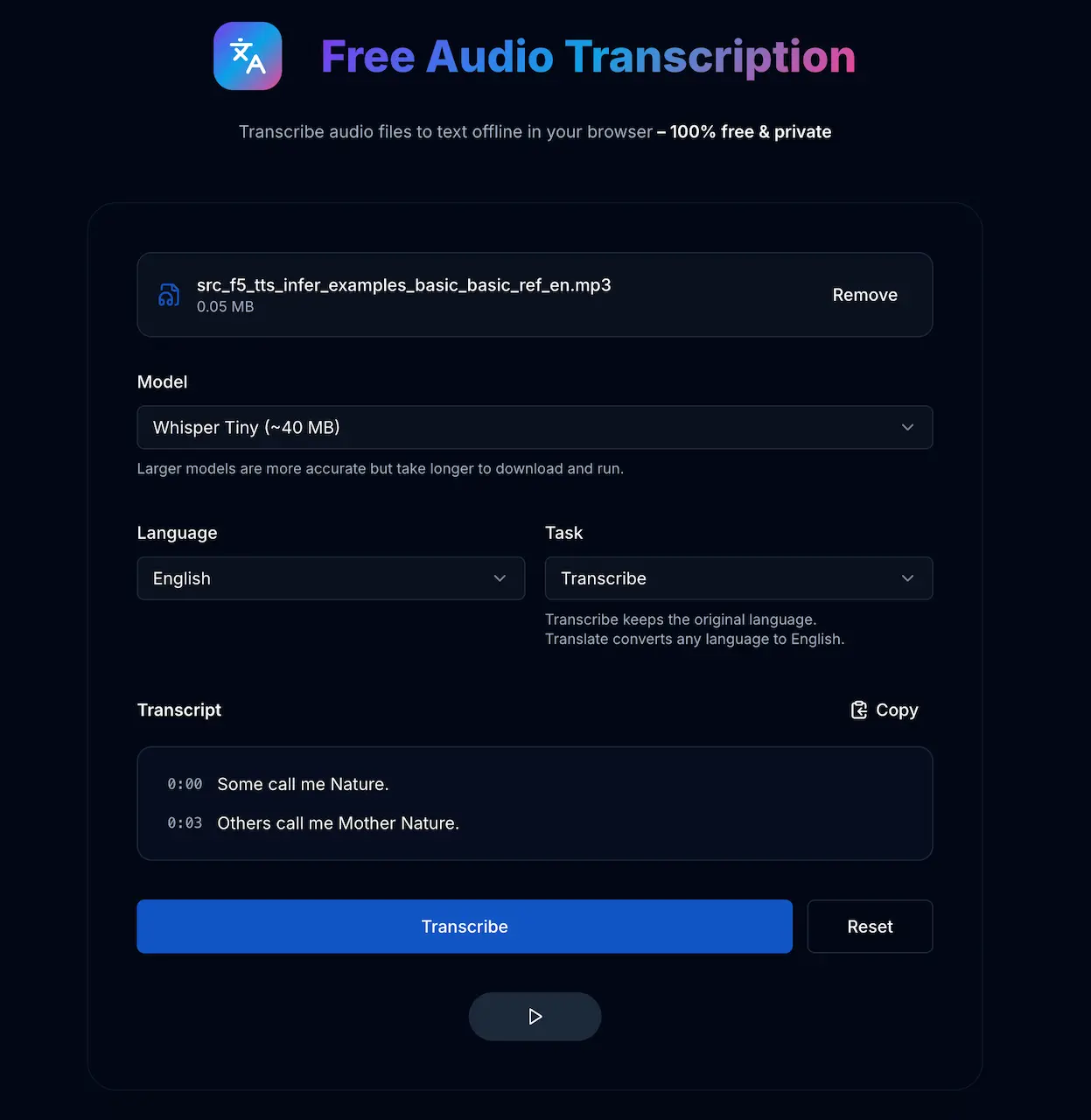
The tool runs OpenAI Whisper directly in your browser through Transformers.js. Four steps, no account required:
- Choose your audio. Drag and drop a file, or record directly with your microphone.
- Pick a model. Whisper Tiny (~40 MB) transcribes fast. Whisper Small (~250 MB) delivers higher accuracy.
- Select a language. The multilingual models support 99+ languages — Spanish, German, Japanese, Arabic, Hindi, and many more.
- Hit transcribe. The model loads once, caches in your browser, and processes your audio in seconds.
The result is a timestamped transcript you can copy with one click.
Transcribe or Translate
Every multilingual model offers two modes:
- Transcribe keeps the original language. A Spanish recording produces a Spanish transcript.
- Translate converts any language to English. A Japanese recording produces an English transcript.
Need a faithful transcript? Use transcribe. Need to understand a foreign recording quickly? Use translate.
What It Costs
Nothing. No usage limits, no credit card, no catch. We built it as a public utility — the same philosophy behind our audio format converter.
Technical Details
- Models: Whisper Tiny, Base, and Small — optimized to run in your browser
- Performance: Runs on background threads, so the page stays responsive while transcribing
- Caching: The model downloads once and your browser stores it for future use
- Formats: MP3, WAV, M4A, OGG, WebM, and anything else your browser can decode
- Privacy: Zero network requests during transcription. Fully offline after the initial model download.
Get Started
Open the transcription tool, drop an audio file, and see for yourself. No sign-up, no waiting, no strings attached.